
Category: how to

Your Booking System Closes Sales. It Does Not Create Them.
By Piotr Pozniak | May 15, 2026
A booking system is excellent at one thing: completing a transaction someone has already decided to make. It is not built for the earlier, harder work of creating that decision in the first place. Most organisations with events to sell are investing in the wrong end of the funnel.
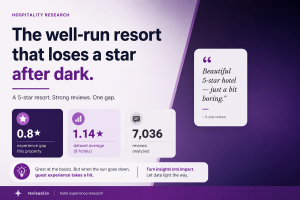
The Well-Run Resort That Loses a Star After Dark
By Piotr Pozniak | May 6, 2026
What happens when your worst reviews come from guests who loved everything except the evenings?

The Hotel Experience Starts Before Arrival: Why Event Communication Is Your Most Underrated Asset
By Piotr Pozniak | May 1, 2026
A hotel can programme excellent events and still leave guests feeling like nothing was happening. The gap is not in the events — it is in how they are communicated. This article makes the case that event communication is not a marketing task to be delegated. It is part of the product.

How to Embed Google Calendar on Webflow (And Make It Look Like Your Site)
By Piotr Pozniak | April 29, 2026
Webflow offers three approaches to showing events on your site: its own CMS Collections, the Google Calendar iframe embed, and a branded widget via Revisual. This guide covers all three – what each one involves, what it costs in time and plan level, and which is right for your situation.

How to Turn Google Calendar Events into Website Alert Banners That Drive Engagement
By Piotr Pozniak | February 16, 2026
Ever added an important event to your Google Calendar, only to realize your website visitors have no idea it’s happening? Whether it’s a webinar, product launch, or office closure, manually posting updates on your website is time-consuming-and easy to forget. With Revisual, you can automatically turn your calendar events into sleek, actionable website alert banners.…

How to Add a Calendar to Mailchimp Emails
By Piotr Pozniak | February 5, 2026
Mailchimp has no built-in Google Calendar integration — there is no native way to pull upcoming events into your campaigns automatically. This article covers why manual event emails do not scale, what the native workarounds miss, and how to connect Google Calendar to Mailchimp so your newsletters always show current events without rebuilding them each time.
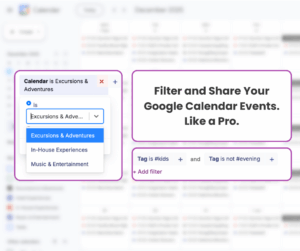
Filter Your Google Calendar Events Like a Pro: A Smarter Way to Share Them
By Piotr Pozniak | December 9, 2025
Share What Matters: How Revisual Lets You Create Widgets With Filtered Events When your event calendar doubles as both an organizational tool and a marketing engine, clarity becomes everything. Revisual helps you turn the events you already maintain in your Google Calendar into clean, targeted, and shareable event widgets—without changing your workflow or duplicating content.…