
Category: How to
Step-by-step guides for embedding, sharing, and distributing Google Calendar events. Covers WordPress, Wix, Mailchimp, QR codes, filtering, and more — practical instructions for organisations managing events without a dedicated IT team.

How to Embed a Google Calendar on Wix
By Piotr Pozniak | January 19, 2026
Wix is a true UI powerhouse. With its intuitive drag-and-drop editor, it allows anyone to build a polished website without touching code. That ease of use is one of the reasons Wix is so popular for event-driven websites, from startups running webinars to agencies promoting conferences. While Wix does come with a built-in Events module,…

Calendar plugin for WordPress
By Piotr Pozniak | December 30, 2025
WordPress started its life as a simple publishing CMS. Its original strength was blogging—and it still excels at that. But its real rise to dominance came from something else: extensibility. Thanks to its open-source nature and massive developer ecosystem, WordPress can evolve into almost anything with the right plugins—from e-commerce platforms to learning portals and,…

How to Instantly Share Your Google Calendar Events Everywhere with Revisual
By Piotr Pozniak | December 2, 2025
QR codes, links, embeds, social previews – share your events everywhere Event organizers already invest time into creating and maintaining calendars – especially Google Calendar. But while Google Calendar is a powerful organizational tool, it wasn’t built for marketing. Your events sit there, waiting to be discovered… but they won’t promote themselves. What if, instead…
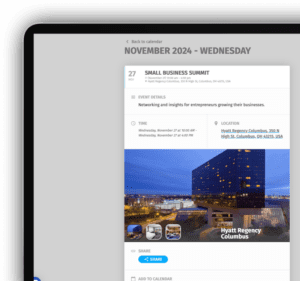
How to Add an Image to a Google Calendar Event
By Piotr Pozniak | November 22, 2024
Google Calendar is a popular tool included in the Google Workspace suite. It is free for both Google Workspace and Gmail users, and it integrates seamlessly with Android devices as well as apps in the iOS ecosystem. Images are a powerful way to increase engagement, capture imagination, and provide context for an event. Similar to…