
Author: Piotr Pozniak

How to Customise an Event Calendar Widget: Behaviour, Design, and Brand
By Piotr Pozniak | February 23, 2026
A generic event calendar widget tells visitors you installed a plugin. A well-configured one feels like part of your site. This guide covers the two levels of customisation that matter – behaviour settings that align the widget with your communication goal, and design settings that make it look like yours.

How to Turn Google Calendar Events into Website Alert Banners That Drive Engagement
By Piotr Pozniak | February 16, 2026
Ever added an important event to your Google Calendar, only to realize your website visitors have no idea it’s happening? Whether it’s a webinar, product launch, or office closure, manually posting updates on your website is time-consuming-and easy to forget. With Revisual, you can automatically turn your calendar events into sleek, actionable website alert banners.…

How to Change Google Calendar Layout (And Customize It for Your Website)
By Piotr Pozniak | February 15, 2026
Google Calendar is one of the most popular scheduling tools in the world. It’s fast, reliable, and deeply integrated into everyday workflows. For organizing meetings, classes, conferences, or internal timelines, it does its job extremely well. But what if you want to change the layout? Not just switch between Day and Month view – but…

How to Add a Calendar to Mailchimp Emails
By Piotr Pozniak | February 5, 2026
Mailchimp has no built-in Google Calendar integration — there is no native way to pull upcoming events into your campaigns automatically. This article covers why manual event emails do not scale, what the native workarounds miss, and how to connect Google Calendar to Mailchimp so your newsletters always show current events without rebuilding them each time.

How to Embed a Google Calendar on Wix
By Piotr Pozniak | January 19, 2026
Wix is a true UI powerhouse. With its intuitive drag-and-drop editor, it allows anyone to build a polished website without touching code. That ease of use is one of the reasons Wix is so popular for event-driven websites, from startups running webinars to agencies promoting conferences. While Wix does come with a built-in Events module,…

How to embed Google Calendar in WordPress — and when to go further
By Piotr Pozniak | January 8, 2026
Embedding Google Calendar on WordPress comes down to three methods: the native iframe, a calendar plugin, or Revisual. Each solves a different problem and comes with different trade-offs. This guide walks through all three honestly — including a side-by-side comparison table — so you can choose the right approach for your organisation.

Calendar plugin for WordPress
By Piotr Pozniak | December 30, 2025
WordPress started its life as a simple publishing CMS. Its original strength was blogging—and it still excels at that. But its real rise to dominance came from something else: extensibility. Thanks to its open-source nature and massive developer ecosystem, WordPress can evolve into almost anything with the right plugins—from e-commerce platforms to learning portals and,…

Make Your Google Calendar Events Look Amazing and Share Everywhere
By Piotr Pozniak | December 18, 2025
Your events already exist. They live in Google Calendar, Outlook, or another tool – mostly serving internal, organizational purposes. But what if the same events could also work as polished, on-brand marketing content? That’s exactly where Revisual changes the game. With 200+ design and behavior options per widget, Revisual lets you transform ordinary calendar data…
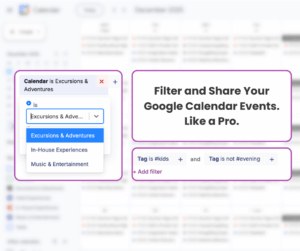
Filter Your Google Calendar Events Like a Pro: A Smarter Way to Share Them
By Piotr Pozniak | December 9, 2025
Share What Matters: How Revisual Lets You Create Widgets With Filtered Events When your event calendar doubles as both an organizational tool and a marketing engine, clarity becomes everything. Revisual helps you turn the events you already maintain in your Google Calendar into clean, targeted, and shareable event widgets—without changing your workflow or duplicating content.…

How to Instantly Share Your Google Calendar Events Everywhere with Revisual
By Piotr Pozniak | December 2, 2025
QR codes, links, embeds, social previews – share your events everywhere Event organizers already invest time into creating and maintaining calendars – especially Google Calendar. But while Google Calendar is a powerful organizational tool, it wasn’t built for marketing. Your events sit there, waiting to be discovered… but they won’t promote themselves. What if, instead…